728x90
반응형
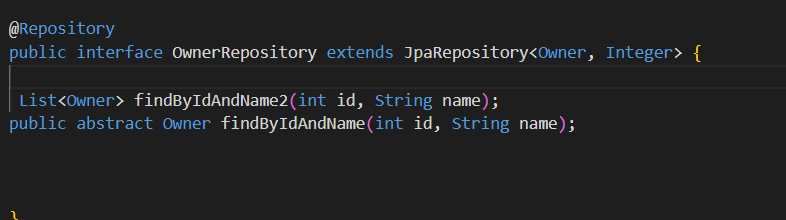
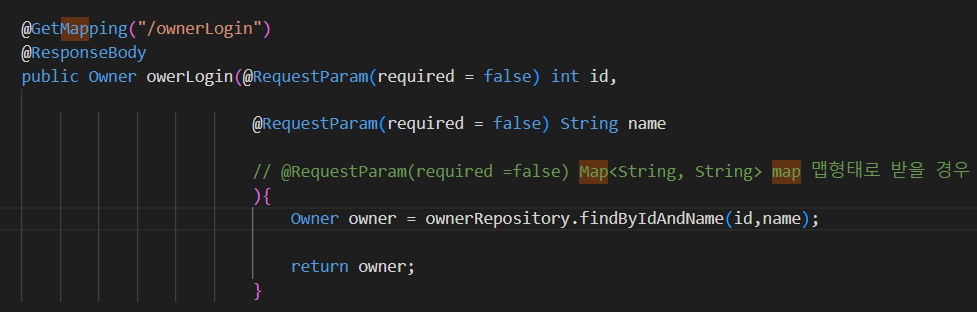


SQLITE --> H2로 이사를 가게 되었습니다.
절차가 어떻게 될가요?
1.H2 의존성을 추가해줍니다. pom.xml
2. 스프링 실행, h2 같이 실행
3.localhost:8080/h2-console로 확인하면 됩니다
4.application.properties
spring.datasource.url=jdbc:h2:~/test
spring.datasource.driverClassName=org.h2.Driver
spring.datasource.username=sa
spring.datasource.password=
spring.jpa.hibernate.ddl-auto=update
spring.jpa.database-platform=org.hibernate.dialect.H2Dialect
자바스크립트로 유효성 검사 비동기 ajax 사용한다
Optional<Owner> opt = ownerRepository.findById(id);
if(opt.isPresent()){
<form action="/auth/signUp" method="post">
<input type="text" name="id" placeholder="id입력하세요">
<button type="button" onclick="getId()">id 중복 체크</button>
<br>
<input type="text" name="name" placeholder="이름을 입력하세요">
<button>가입하러가기</button>
</form>
<script>
async function getId(){
const id = document.querySelector("[name=id]").value;
const data=await fetch(`/auth/id-check?id=${id}`);
const res = await data.text;
console.log(res);
}
</script>
@GetMapping("/id-check")
@ResponseBody
public String idCheck(@ModelAttribute Owner owner){
if (owner.getId()==null){
return "가입불가";
}
int id = owner.getId();
Optional<Owner> opt = ownerRepository.findById(id);
if(opt.isPresent()){ // 값 있음, 이미 아이디가 쓰이고 있음, 가입불가
return "가입불가";
}else{ // 값 없음 ,아이디가 없음 , 가입가능
return "가입가능";
}
}
728x90
반응형
'스프링' 카테고리의 다른 글
| spring 암호화 (2) | 2023.10.05 |
|---|---|
| sprinng (0) | 2023.10.04 |
| 스프링부트 thymeleaf는 단일 서버에 적합하다. (0) | 2023.09.26 |
| 스프링부트 JPA - ORM 방식으로 SQL입력 대신 메소드를 불러온다. (0) | 2023.09.25 |
| 초보자도 스프링에서 DB 데이터 접근하는 방법이 있다? (google, naver 개발자도 반한 JPA에 대한 서술 중에서.. (!10만 view 돌파)) (0) | 2023.09.22 |